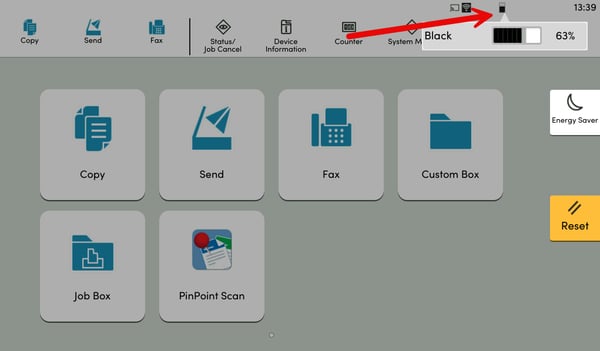
This article will help you a troubleshoot common issues that may prevent a new Kyocera toner bottle from being inserted correctly.
Common Cause: Toner Bottle Tabs Pushed Back
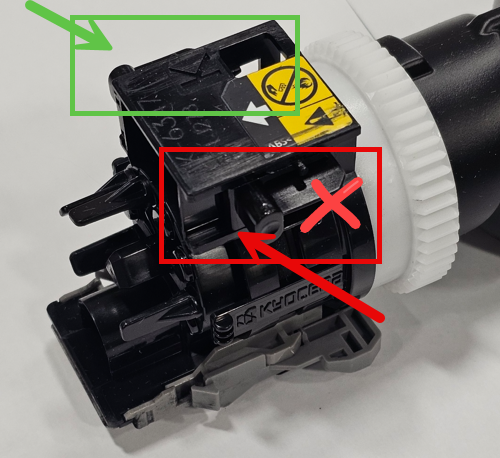
One of the most common issues occurs when one or both of the plastic tabs on the toner bottle have been pushed back.
These tabs can move after a bottle has been inserted into:
- The new toner installation slot, or The waste toner bottle slot
The tabs are designed this way to prevent a bottle containing waste toner from being reused by mistake. However, in some cases, a tab may be accidentally bumped during shipping or handling—even on a brand‑new toner bottle.
Step 1: Verify the Toner Bottle Model
Confirm that you have the correct new toner bottle for your machine.
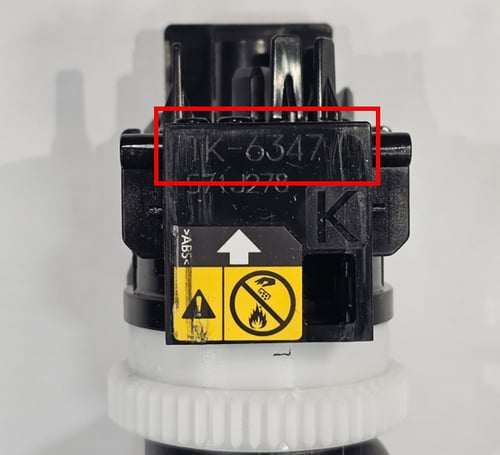
- Check the engraved model number on the top of the toner bottle.
- Ensure it matches the the old bottle.
Step 2: Inspect the Toner Bottle Tabs
Examine the toner bottle closely and check whether:
- One or both tabs are pushed backward
- The tabs do not match the position of a new, unused bottle
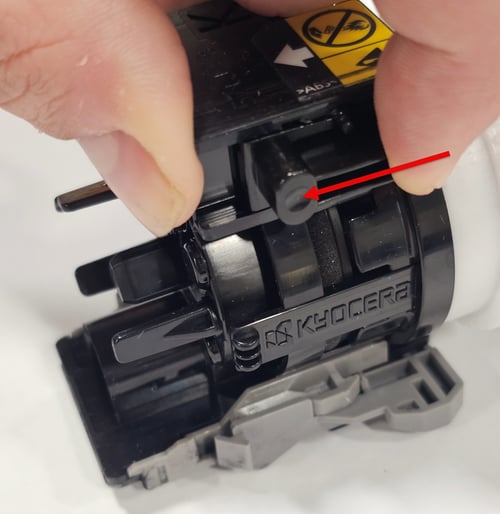
Step 3: Reposition the Tab(s)
If a tab is pushed back:
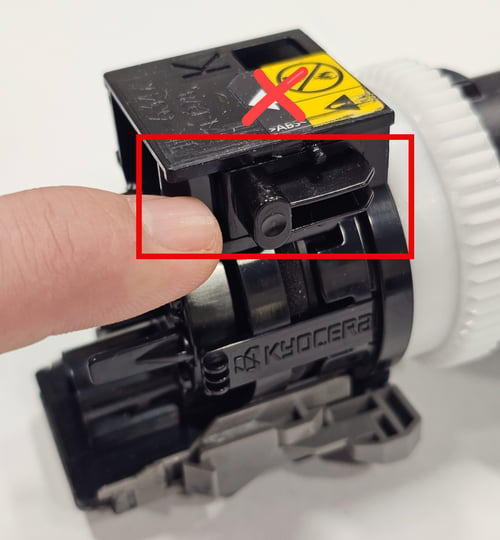
- Carefully slide the tab forward into its original (new) position
- Use gentle pressure—do not force the tab, as it may break
Step 4: Confirm Correct Tab Position
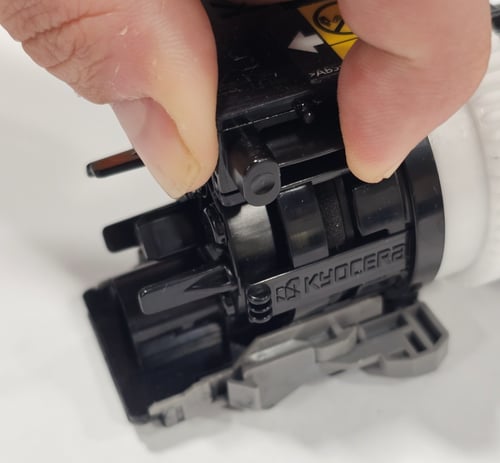
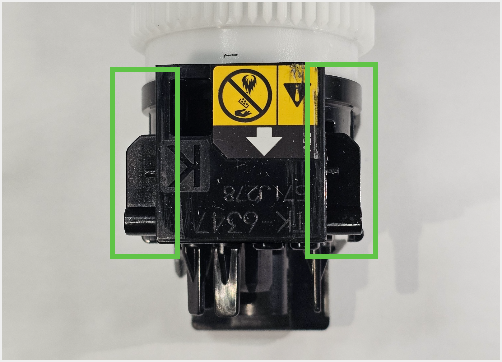
Once adjusted, the toner bottle should:
- Match the appearance of a new toner bottle
- Insert smoothly into the toner slot without resistance
Step 5: Verify Toner Status on the Kyocera Panel
After installing the toner bottle:
- Check the machine’s panel
- Verify that the toner level registers as Full.
If the panel shows the toner as Empty, remove the bottle immediately and replace it with a new toner bottle.
Operating the device with a full waste toner bottle installed in the toner position may cause damage to the machine.