|
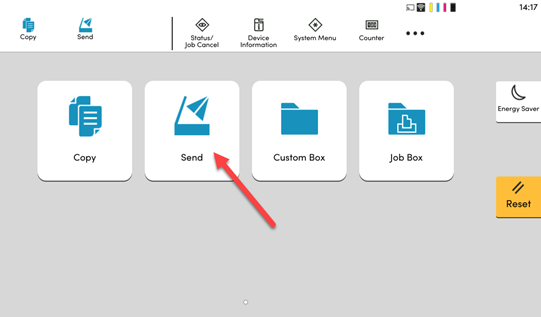
1. Select Send.
|
|
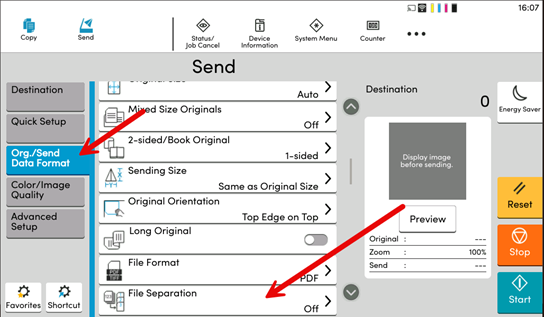
2. In the Scan menu, Select Org/Send Data Format on the left-hand side,
|
|
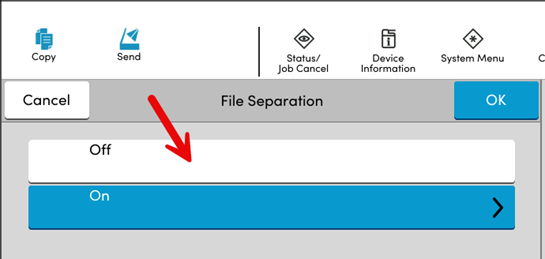
3. Select ON
|
|
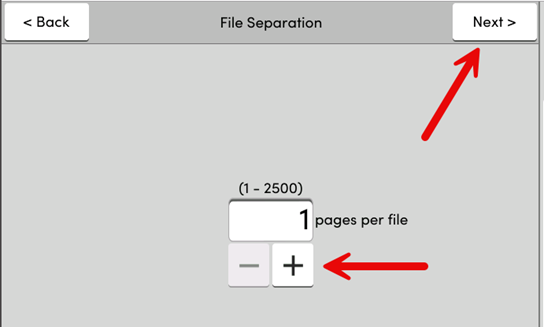
4. Select the number of pages you want per file/email. For example, if you are scanning 3 page document 10 times, then enter 3. Then click Next.
|
|
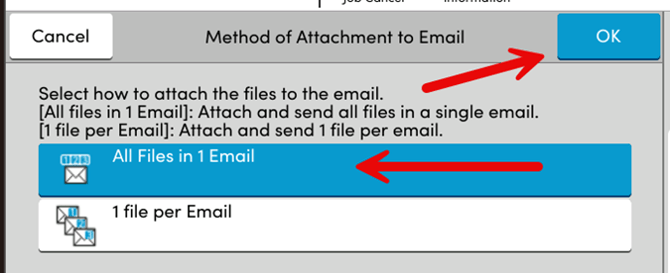
5. Now choose how you want the files delivered - either one per email or all in one. Click OK.
|