
If you need the machine to print a confirmation report after sending a fax, follow these steps:
Note: Selecting On ensures a fax transmission report is automatically printed after each fax is successfully sent.
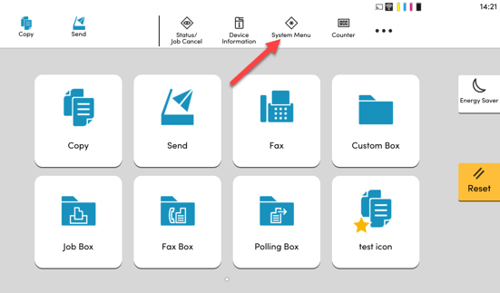
- Press System Menu on the machine control panel.
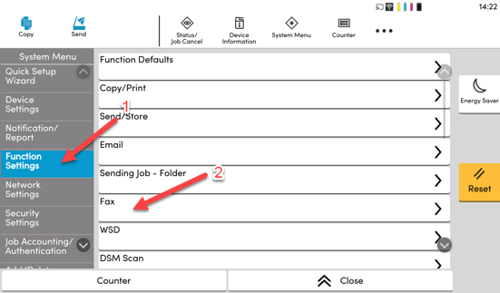
- Select Function Settings then Fax.
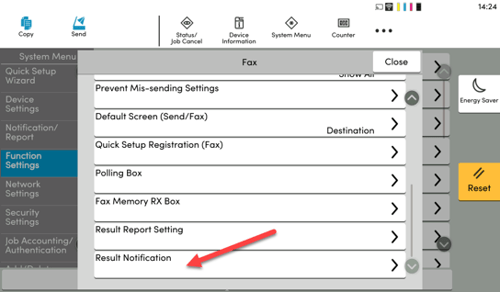
- Scroll down and select Result Notification.
- Press Fax TX Result Report.
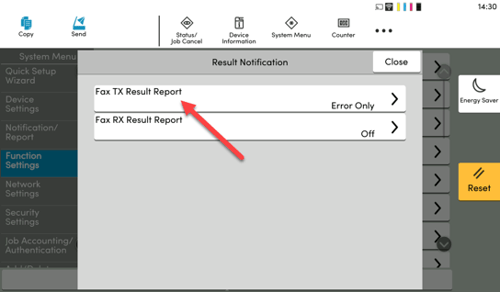
- Choose the desired notification setting:
- On – Prints a report every time a fax is sent.
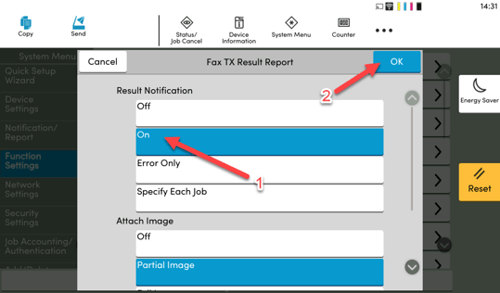
- On – Prints a report every time a fax is sent.
- Press OK to save and confirm your selection.