
This guide explains how to configure a Kyocera multifunction device to print a Fax Send Result Report after a fax is sent. This report can help confirm whether a fax was transmitted successfully.
Enable the Report from the Device Panel
Step 1: From the Home screen of the Kyocera device select System Menu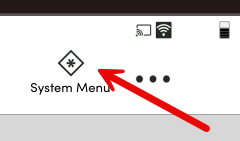
Step 2: Select Notification/Report along the left side of the screen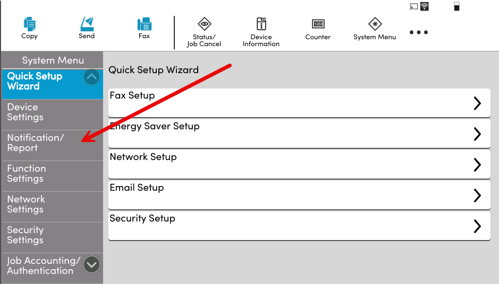
Step 3: Select Send Result Report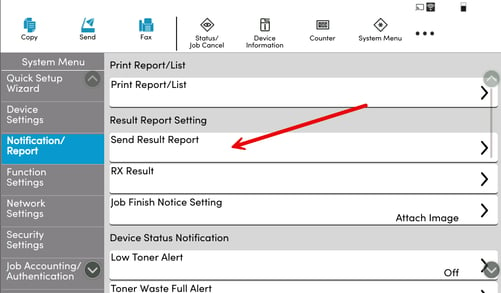
Step 4: Select on Fax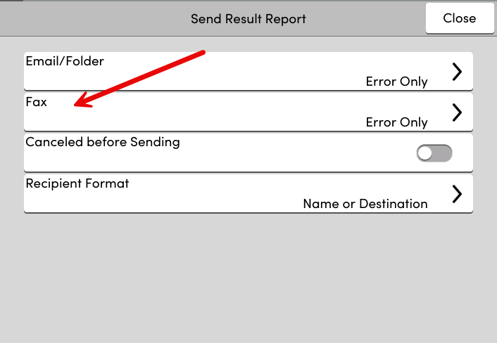
Step 5: Change the results Notification from Error only to ON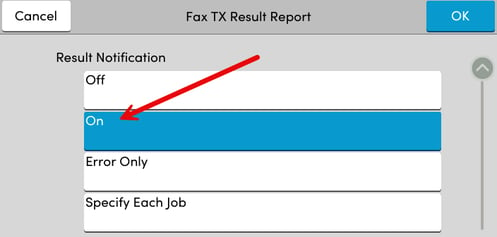
Step 6: (Optional) You can also adjust the attached image. This way you have a preview of the fax that the results is for.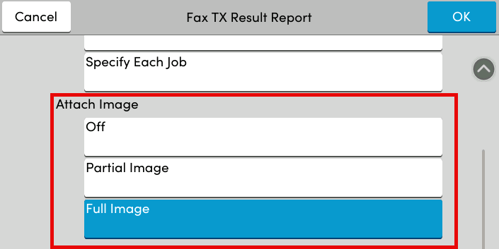
Step 7: Press OK in the upper right once complete to save