This guide explains how to delete a user or destination from the internal address book on a Kyocera TASKalfa MFP.
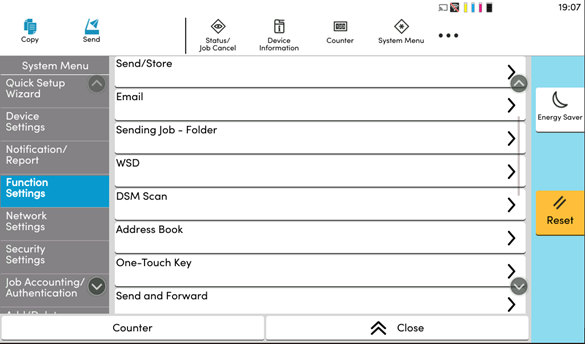
Step 1: Navigate to Address Book Settings from System Menu.
- On the Kyocera touchscreen, select the System Menu icon along the top.
- Select the Function Settings tab on the left side of the screen.
- Scroll down and select the Address Book option.
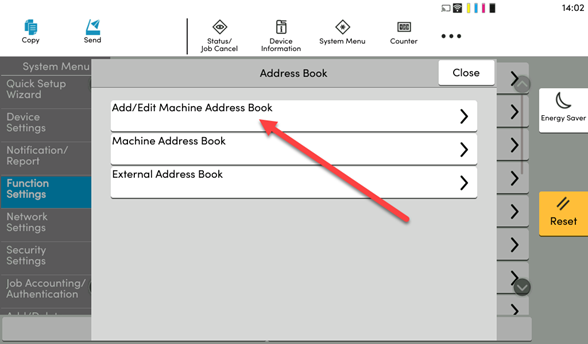
Step 2: Select Add/Edit Machine Address Book
Step 3: Delete the User you wish to remove
-
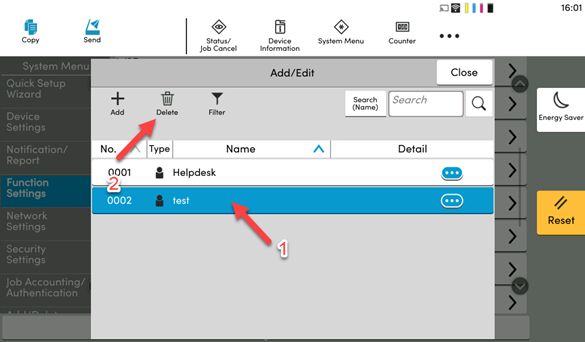
With the Address Book now open, find the contact you wish to Delete and tap on it to highlight it. From there Click on Delete.