|
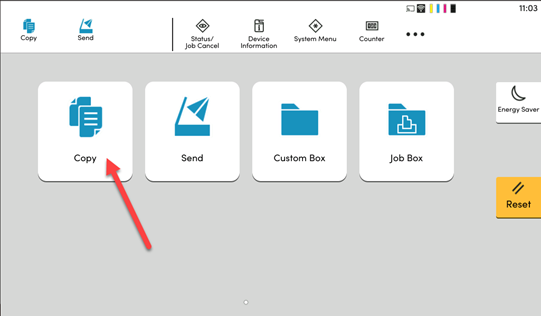
1. Within the printer’s display panel, Select the Copy Menu.
|
|
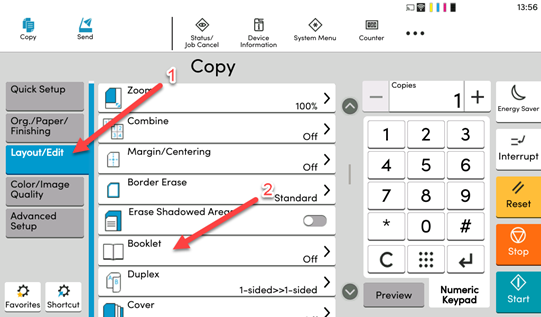
2. In the new window, Select the Layout/Edit tab on the left-hand side. Then select the Booklet option in the menu.
|
|
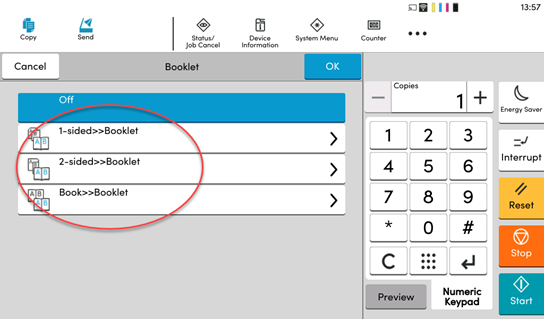
3. From here select if you want to copy a set of 1-sided documents, 2-sided documents or an already made booklet. This will be printed into a booklet regardless. Select OK and Start.
|